
Understanding templates and sources
The Document sources page has two sections:- Templates — shared SharePoint folders that are defined once and can be copied by anyone on your team
- Your sources — the folders that are actually indexed and made searchable in Kris
- Only Admin users can create templates. Any user, admin or not, can copy an existing template into their own sources.
- A template is only a pointer to a SharePoint site and document library. On its own it isn’t crawled — only a source is.
- Copying a template only affects your own sources; it doesn’t add the folder for your teammates. Each person copies it individually.
- Once copied, changes to the underlying SharePoint folder (files added, changed, or removed) reach you automatically on the next crawl — no action needed in Kroo.
- Remove copy stops search for that one user only. The template itself stays available for everyone else to copy.
- You can only access a copied source’s contents if your Microsoft Entra ID account has access to that SharePoint site — Kroo doesn’t grant access beyond your existing permissions.

Create a template
1
Open Document sources
In the Kroo App, open the Document sources page from the sidebar (the folder icon).
2
Start a new template
In the Templates section, click + New template in the top-right corner.
3
Fill in the template details
In the New Document Template dialog, provide each required field: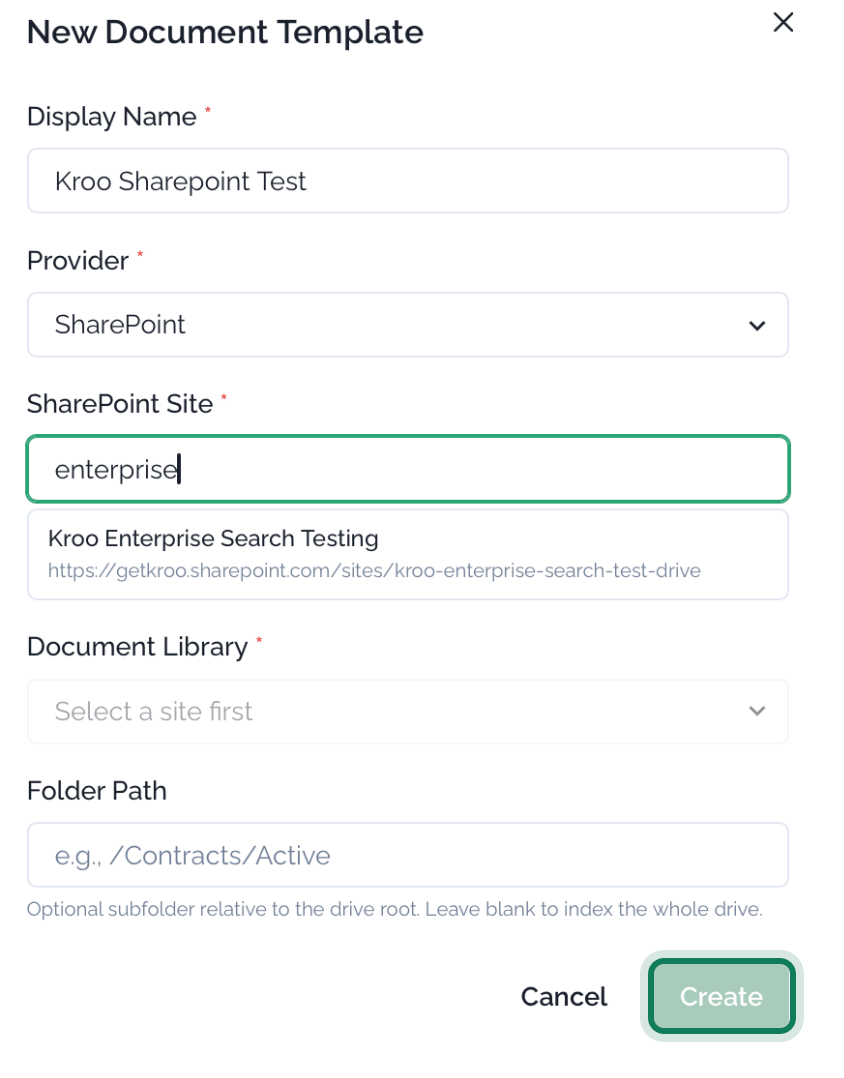
You must select a SharePoint site before the Document Library dropdown becomes available.
4
Create the template
Click Create. The new template appears in the Templates list with an ACTIVE status.
Copy the template to your sources
Creating a template only defines the shared folder — nothing is indexed until you copy it into your own sources.1
Copy the template
In the Templates list, find your template and click Copy in the YOUR COPY column.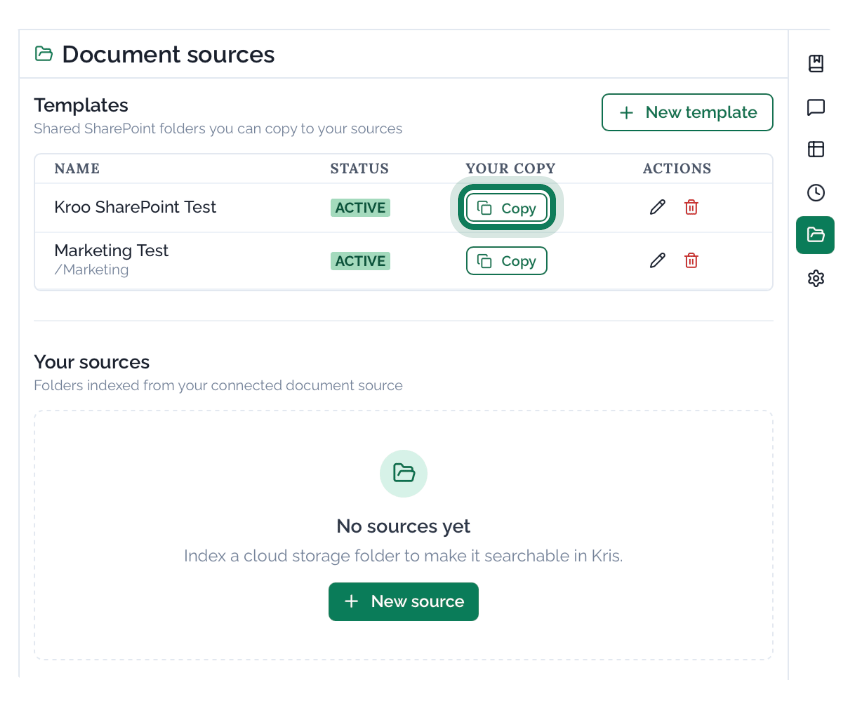
2
Confirm the source was added
The template now appears under Your sources with a TEMPLATE COPY badge and an ACTIVE status. Kroo begins indexing the folder — the DOCUMENTS count and LAST CRAWLED time update once the first crawl completes.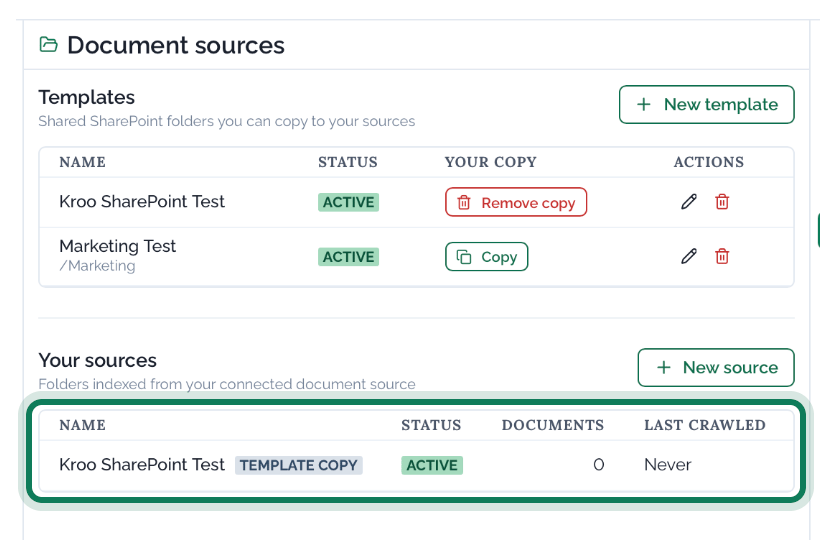
A newly copied source shows
0 documents and Never for last crawled until the first crawl runs. This can take anywhere from a few minutes to a few hours.