- Dashboards
- Studio Dashboards
- Embedded Power BI Dashboards
- Kroo Projects
- Database Access
Resource permissions must be granted to users or roles so they can access Kroo data. This access is essential for using Kroo’s tools and features. Row Level Permissions must also be configured and granted to roles and users where row-level data access is required.
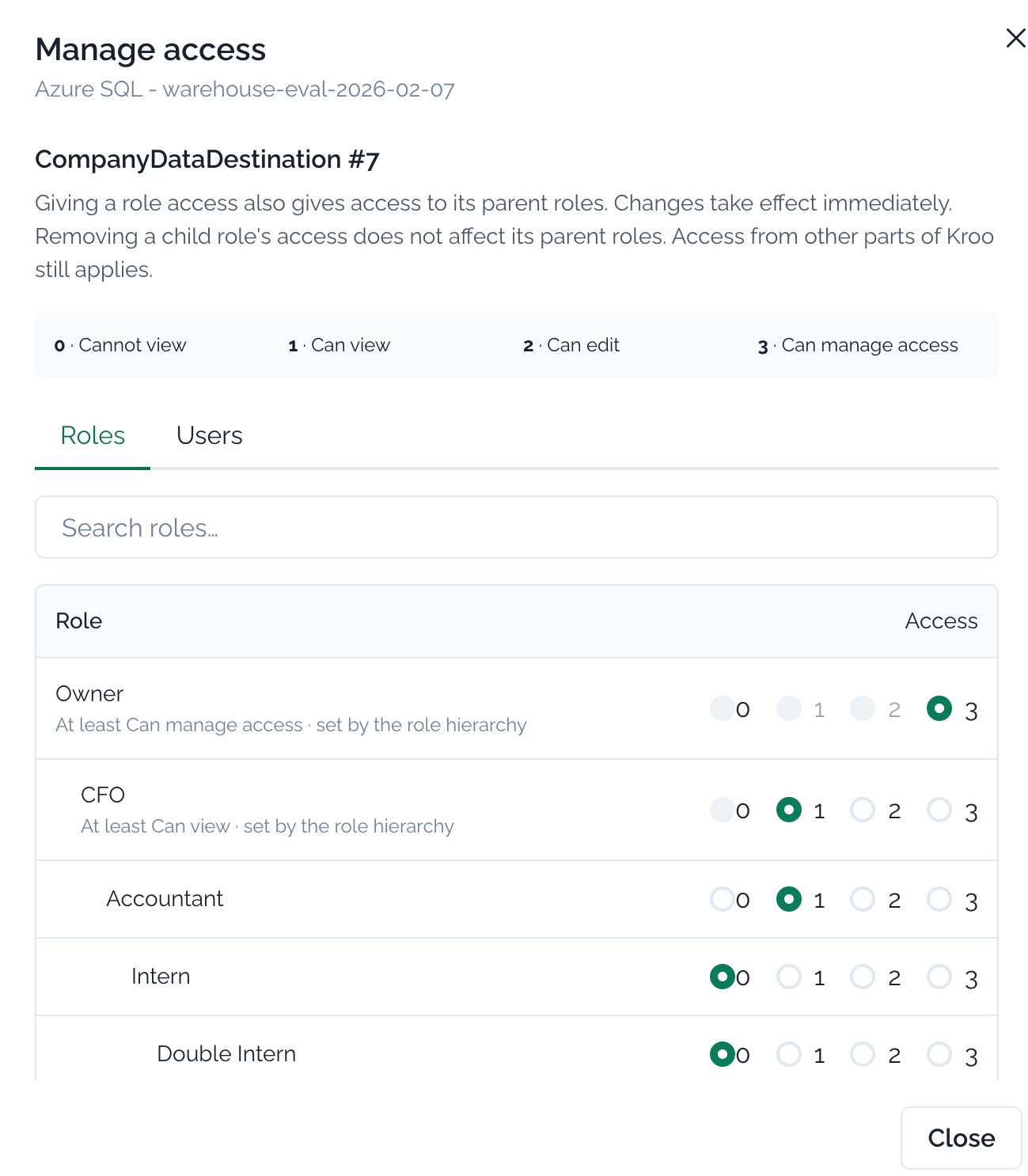
- 0 - Cannot View: No access granted.
- 1 - Can View: Users can open and view a granted item.
- 2 - Can Edit: Users can edit items they are added to.
- 3 - Can Manage Access: Users can manage permissions for an item.
Within a resource, a user’s access can be granted directly at the user level and through any roles assigned to that user. If these assignments conflict, the user receives the highest access level granted for that feature or connection.